



Enterprises today generate data faster than ever, from customer transactions to IoT sensors, connected devices, and analytics workloads. In fact, about 60% of business data is now stored in the cloud. Traditional storage systems often fail to keep up with this scale, complexity, and performance demand. This is where cloud-based storage solutions come in. They offer flexible, scalable, and cost-efficient ways to manage enterprise data that grows with your business needs. By leveraging modern cloud-based storage solutions, enterprises can handle massive data volumes without expensive infrastructure upgrades or delays. In this blog, we explore what cloud-based storage is, how it helps enterprises scale data infrastructure efficiently, and the benefits of cloud-based storage, including agility, security, and cost-optimization. We’ll also discuss the best cloud-based storage solutions, leading providers, cloud computing and cloud storage, and strategies for long-term scalability in your enterprise environment. We’ll also explore how cloud computing and cloud storage work together to help enterprises scale infrastructure efficiently.
Understanding the Enterprise Data Growth Challenge
Data is the backbone of modern enterprises, but managing its exponential growth is among today’s toughest challenges. In fact, the global data volume reached 149 zettabytes and is projected to grow to 181 zettabytes by 2025. Let’s explore what drives this surge and where traditional systems fall short.
A. Explosive Data Generation in Modern Enterprises
Organizations create and collect vast data daily from digital platforms, sensors, mobile apps, and connected devices. The rise of AI, analytics, and automation has added multiple data sources that continuously expand storage needs. This growth pushes traditional setups beyond their limits, making modern enterprise cloud-based storage and cloud-based storage solutions essential.
B. Limitations of Traditional Storage Systems
Legacy storage relies on fixed hardware that must be manually upgraded when capacity or performance demands increase. Scaling means buying new equipment, adding cost and complexity. Data silos often emerge, limiting visibility and collaboration. Backup and recovery processes slow down significantly as volumes grow. These constraints often prevent enterprises from fully leveraging the benefits of cloud computing and cloud storage, both of which are essential for modern scalability and efficiency.
C. The Shift to Cloud-Native Storage Architectures
To overcome these challenges, enterprises are increasingly shifting to cloud-based storage and cloud-native architectures. Cloud-based storage solutions offer flexibility, global reach, and automation that static hardware systems cannot match. In fact, cloud computing and cloud storage work hand in hand, while computing delivers the processing power and applications, storage ensures that enterprise data remains accessible, scalable, and secure. They support both structured and unstructured data at scale, enabling efficient access, sharing, and management, a crucial step in understanding how enterprise cloud-based storage and infrastructure scaling enhances agility and performance in modern data environments.
All in all, the rapid data surge demands a smarter approach. Shifting to cloud-native storage helps enterprises stay agile, scalable, and ready for future data challenges.
Cloud Deployment Models: Public, Private, Hybrid, Multi
Supercloud for Enterprise: Simplify Complex Cloud Management
What Is Enterprise Cloud-Based Storage?
Enterprise cloud-based storage stores and manages data over the internet through virtualized infrastructure. Instead of relying on on-site servers, organizations rent secure cloud capacity from providers. This model offers pay-as-you-go flexibility and seamless expansion.
Enterprise Cloud-Based Storage Architecture Overview
The architecture of enterprise cloud-based storage is built around three main types: object, file, and block storage. Each type serves different data needs within the enterprise.
- Object Storage: Ideal for unstructured data, such as media files, backups, and logs. It organizes data into objects with unique identifiers, allowing quick retrieval at scale.
- File Storage: Suitable for shared file systems and collaborative environments. It supports directory hierarchies and is used for content management and enterprise applications.
- Block Storage: Used for structured workloads that need low latency, such as databases and virtual machines.
These storage types connect through APIs, automation tools, and security frameworks—core elements in cloud-native storage architectures—allowing integration with existing enterprise systems and applications. Together, they form a flexible, distributed architecture that supports diverse workloads with consistency and control — reinforcing the benefits of cloud-based storage in modern enterprise infrastructure.
Key Capabilities of Enterprise Cloud-based Storage
Enterprise cloud-based storage provides advanced features that support scalability, protection, and performance across large data ecosystems. Key capabilities include:
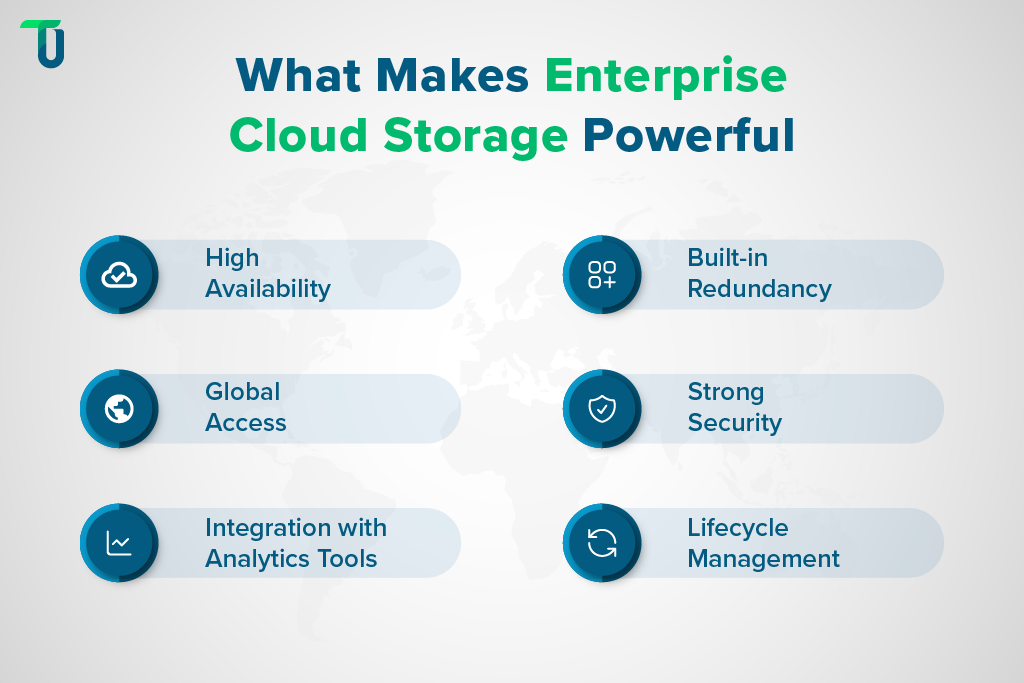
- High Availability: Data is replicated across multiple locations to maintain access during outages or failures.
- Built-in Redundancy: Automatic duplication of data across nodes prevents data loss and enhances reliability.
- Global Access: Teams can access and share data securely from any region with stable performance.
- Strong Security: Encryption at rest and in transit, along with identity-based access controls, protect sensitive information.
- Integration with Analytics Tools: Seamless connection with BI and data processing tools supports faster insights.
- Lifecycle Management: Policies automate data movement between tiers, helping reduce storage costs.
These features allow enterprises to manage complex data environments efficiently while maintaining performance, compliance, and scalability, especially when implemented through strategic enterprise cloud-based storage solutions.
Seeking a Reliable Enterprise Cloud Storage Solution?
TenUp custom builds end-to-end cloud solutions to scale, secure, and optimize your data storage. Schedule a Free Consultation today!
Benefits of Scaling with Enterprise Cloud-Based Storage
Enterprises adopt cloud computing and cloud storage for their flexibility and control. Beyond saving costs, they enable fast scaling, global reach, and strong resilience. Here are some of the major benefits:
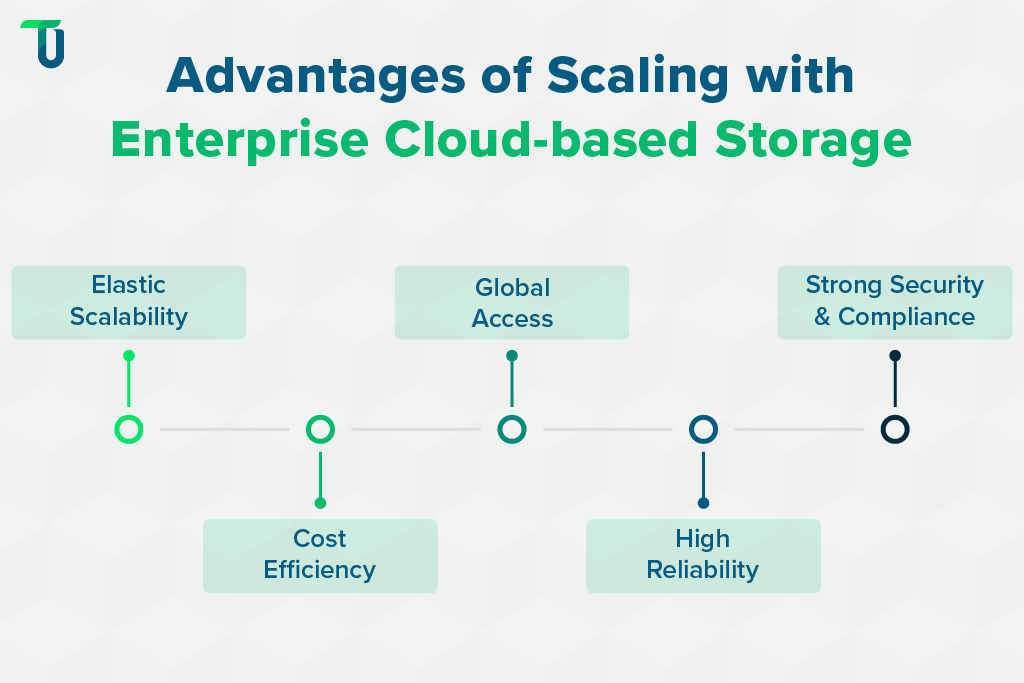
A. Elastic Scalability to Match Data Growth
Enterprise cloud-based storage allows businesses to expand or reduce capacity instantly without new hardware or delays. It supports unpredictable workloads, seasonal spikes, and rapid data growth. This flexibility, powered by a scalable cloud data storage architecture, helps enterprises match resources with demand while maintaining stable performance and cost balance.
B. Cost Efficiency with Pay-As-You-Go Storage
With enterprise cloud-based storage, companies shift from capital to operational expenses. The pay-as-you-go model lets them pay only for the space and bandwidth used. This approach removes hardware costs, reduces waste from unused capacity, and helps budget teams plan expenses with better accuracy and transparency.
Related Article: Maximize ROI with Smart Cloud Cost Optimization Tactics
C. Global Accessibility and Collaboration
Enterprise cloud-based storage offers consistent access to data from any location with internet connectivity. Authorized teams across offices or countries can share and work on the same files in real time. This structure supports hybrid teams, remote collaboration, and faster decision-making without security risks.
D. Enhanced Reliability and Redundancy
Leading cloud providers store enterprise data across several servers and regions to reduce the risk of downtime. Automatic redundancy protects against data loss if one server fails. This distributed design strengthens business continuity and helps enterprises maintain uninterrupted access to critical data.
E. Security and Compliance for Enterprise Data
Enterprise cloud-based storage uses encryption, access control, and constant monitoring to protect data from unauthorized access. Compliance with standards such as GDPR, ISO, and SOC 2 supports legal and industry requirements. Audit trails and built-in reporting add visibility and accountability for sensitive data.
All these benefits make enterprise cloud-based storage solutions a reliable choice for modern organizations.
Key Considerations When Scaling Enterprise Cloud-Based Storage
Before scaling enterprise cloud-based storage, organizations must evaluate key technical, operational, and compliance factors as outlined below:
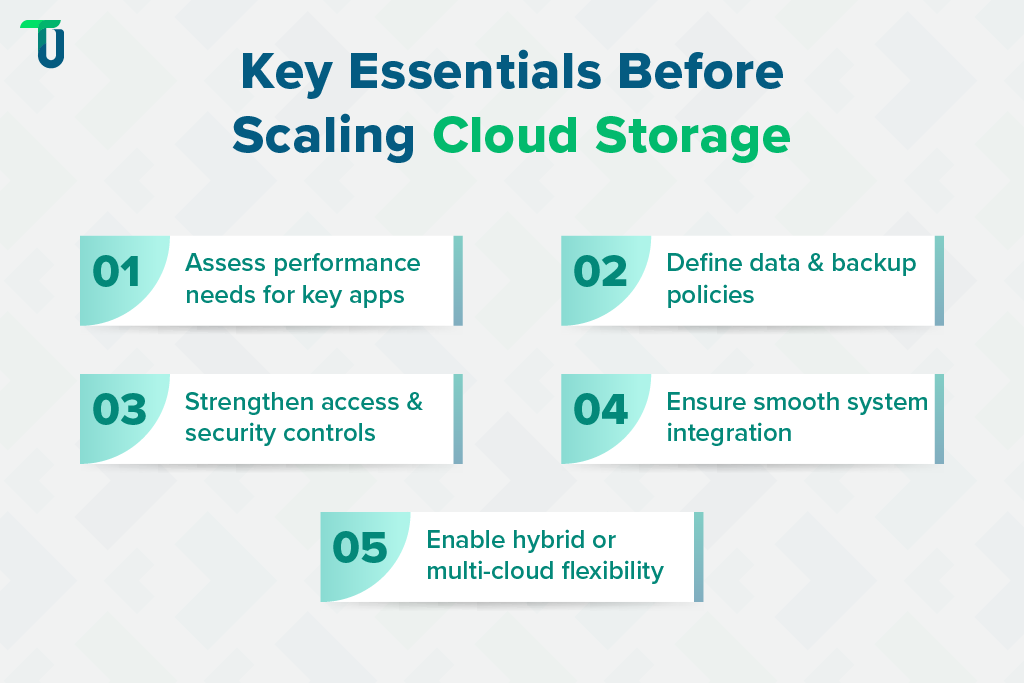
A. Performance Requirements for Applications
Performance directly affects how enterprise applications access and process data. Poor performance can slow operations.
Key factors to consider:
- Latency needs for critical applications.
- Throughput and read/write speed requirements.
- Workload types, such as databases or analytics.
- SSD or block storage options for low-latency needs.
Selecting the right performance options ensures smooth operations. Enterprises can scale storage efficiently without bottlenecks or delays, keeping applications responsive across regions.
B. Data Management Strategy and Lifecycle Policies
Effective data management prevents wasted resources and compliance issues. Enterprises need clear policies for retention, backup, and movement when scaling enterprise cloud-based storage to handle large datasets efficiently.
Key factors to consider:
- Data retention and archiving policies.
- Automated lifecycle management and tiering.
- Backup and disaster recovery strategies.
- Classifying structured and unstructured data appropriately.
A strong data management strategy balances cost, accessibility, and compliance. Enterprises can keep the right data in the right place for the right purpose.
C. Security and Access Control Policies
Security is crucial in enterprise cloud-based storage. Protecting sensitive data and controlling access reduces risk. Organizations must define authentication, encryption, and access policies consistently across systems.
Key factors to consider:
- Multi-layer authentication for all users.
- Data encryption at rest and in transit.
- Identity and access management integration.
- Audit logs and compliance monitoring.
Strong security and access control protect data while allowing authorized use. Enterprises reduce risk and maintain regulatory compliance across global operations.
You Might Like:
Cloud-Native Application Development: Challenges & Solutions
D. Integration with Existing Infrastructure
Enterprise cloud-based storage must fit into current IT environments. Smooth integration with databases, apps, and analytics tools—supported by reliable Cloud integration services —ensures operational continuity and prevents workflow disruptions.
Key factors to consider:
- Compatibility with current applications.
- Support for databases and analytics tools.
- API and automation integration.
- Data migration planning.
Proper integration ensures seamless operations. Enterprises can adopt scalable cloud-based storage without disrupting workflows, keeping business processes stable and efficient.
E. Vendor Lock-In Concerns
Relying on a single cloud provider limits flexibility. Enterprises should plan for multi-cloud or hybrid deployments to maintain control and avoid long-term constraints when scaling cloud storage.
Key factors to consider:
- Multi-cloud and hybrid deployment strategies.
- Open APIs and standardized formats.
- Portability and data export options.
- Contract and pricing flexibility.
Minimizing vendor dependency keeps options open. Enterprises gain freedom to move workloads and optimize costs without being tied to a single storage provider.
TenUp's Take: For effective enterprise cloud-based storage, we recommend segmenting data by access patterns, automating lifecycle policies, and using hybrid or multi-cloud setups. Continuously monitor performance and optimize storage classes to scale efficiently while controlling costs, reliability, and compliance.
Best Enterprise Cloud-Based Storage Solutions
Choosing the right cloud-based storage solutions is key to achieving performance, scalability, and data resilience. These solutions empower enterprises to manage massive datasets efficiently while ensuring security and compliance across regions.
Several cloud providers offer robust enterprise cloud-based storage. Let’s explore the leading options that help enterprises manage data efficiently and scale their infrastructure globally.
A. Amazon Web Services (AWS) Storage Suite
AWS provides S3 for object storage, EBS for block storage, and EFS for file storage. It offers high scalability, global durability, seamless integration with analytics tools, and reliable performance for large-scale enterprise workloads.
Core Technical Capabilities
- Multi-AZ replication for high durability
- Versioning and object lock
- Lifecycle management with automated tiering
- API-driven automation and SDK support
- Fine-grained IAM access controls
In a nutshell, AWS provides some of the best cloud-based storage options for enterprises that need automation, global durability, and API-driven scalability.
B. Microsoft Azure Storage
Azure Storage supports Blob, File, and Disk storage, handling structured and unstructured data efficiently. It integrates with enterprise applications, provides strong security controls, and meets global compliance standards.
Core Capabilities for Enterprises
- Geo-redundant and zone-redundant storage
- Managed snapshots and point-in-time restore
- Tiered Blob storage (Hot, Cool, Archive)
- Role-based access and encryption
- REST API and SDK support for automation
All in all, Azure Storage offers scalable, geo-redundant Best enterprise cloud-based storage platforms with tiering, snapshots, and automated access controls for secure, high-performance operations.
C. Google Cloud Storage (GCS)
GCS focuses on performance and simplicity. Its multi-regional architecture automatically replicates data, reducing latency for global teams, while offering scalable, durable storage for both mission-critical and archival workloads.
Core Capabilities for Enterprises
- Multi-region and dual-region replication
- Object versioning and retention policies
- IAM and ACL-based permissions
- Event triggers and Pub/Sub integration
- Storage class lifecycle transitions
To summarize, GCS offers fast, reliable, and globally accessible enterprise cloud-based storage that supports both critical applications and long-term data retention efficiently.
Further Reading:
Cloud App Development: AWS vs Azure vs Google Cloud
D. IBM Cloud Object Storage
IBM Cloud Object Storage delivers resilience and integrates with AI and analytics platforms. It supports hybrid deployments, offers strong governance and compliance tools, and can handle highly regulated enterprise workloads.
Core Capabilities for Enterprises
- Erasure-coded multi-site replication
- S3-compatible API and NFS access
- Object lifecycle and tiering policies
- High-performance throughput for analytics
- Integration with AI/ML and governance tools
IBM COS offers highly resilient enterprise cloud-based storage with erasure coding, hybrid support, and analytics integration for mission-critical, regulated workloads.
E. Wasabi/Backblaze B2
These providers offer cost-effective enterprise cloud-based storage with simple pricing models. They provide fast data access, strong reliability, and are ideal for startups or enterprises looking for low-cost storage alternatives.
Core Capabilities for Enterprises
- S3-compatible API for easy integration
- Object versioning and retention
- High durability through multi-node replication
- Lifecycle management and tiering
- Low-latency upload/download performance
Wasabi and Backblaze B2 offer affordable, reliable enterprise cloud-based storage, perfect for cost-conscious businesses needing high-speed, secure, and simple storage solutions.
Key Strategies to Scale Enterprise Data Infrastructure
Scaling enterprise cloud-based storage demands careful planning, governance, and ongoing review—principles similar to those outlined in this enterprise cloud-based storage scale resource for startups and growing enterprises. Here are a few practical strategies to manage capacity, optimize costs, and maintain performance effectively.
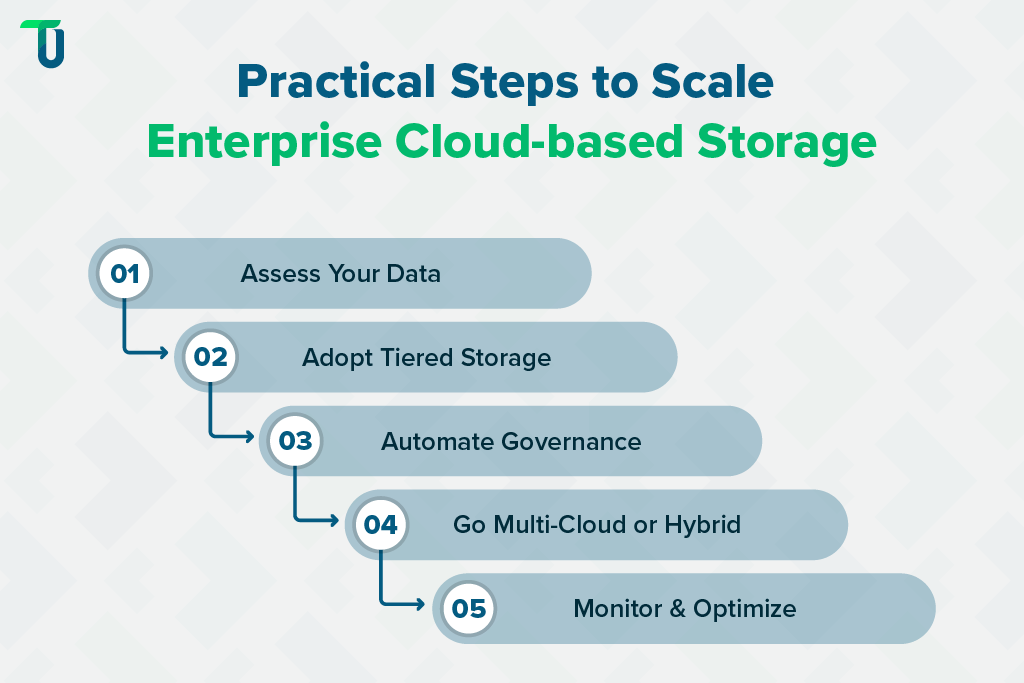
1. Start with a Data Assessment
Before moving data to the cloud, enterprises need to evaluate what data exists, where it resides, and how fast it grows. An experienced Enterprise cloud migration consulting company can guide this assessment and build a migration roadmap aligned with business objectives. This assessment identifies critical workloads, inactive data, and regulatory requirements, helping prioritize which data should move to cloud storage first.
2. Adopt a Tiered Storage Strategy
Segment data based on access patterns and business value. Frequently accessed operational data stays on high-performance storage, while historical or infrequently used data moves to cost-effective tiers, ensuring enterprises benefit from high-performance cloud storage solutions without unnecessary cost overhead. Tiering reduces costs, optimizes performance, and prevents storage bottlenecks.
3. Implement Data Automation & Governance
Automate lifecycle policies, backups, and compliance checks with enterprise cloud-based storage solutions to streamline data management and ensure compliance.
Automation reduces manual errors, enforces consistent handling of data, and ensures retention, archiving, and deletion policies align with business and regulatory standards.
4. Use Multi-Cloud or Hybrid Models
Distribute workloads across multiple cloud providers or combine on-premise and cloud environments — one of the most effective approaches in how enterprises scale data infrastructure efficiently while maintaining agility and control. This strategy reduces vendor dependency, enhances disaster recovery options, and allows enterprises to place data where it performs best or meets compliance requirements.
5. Monitor and Optimize Continuously
Track storage usage, performance metrics, and costs regularly. Use these insights to adjust storage classes, move inactive data to cheaper tiers, and identify opportunities to streamline workflows and maintain efficiency across enterprise cloud-based storage. To put it together, with the right mix of automation and oversight, enterprises can scale their cloud-based storage efficiently, maintain performance, and manage data securely across all workloads.
Transforming Enterprise Data Management Through Cloud Excellence
As enterprises face unprecedented data growth, adopting cloud-based storage solutions becomes essential. These platforms offer scalability, cost efficiency, and robust security, addressing the limitations of traditional storage systems. However, transitioning to the cloud is not without its complexities. Organizations must navigate performance requirements, data management strategies, security concerns, and integration with existing systems.
By adopting modern cloud-based storage solutions, enterprises can simplify data management, boost reliability, and ensure long-term scalability for future workloads. This is where we– TenUp steps in. As an ISO 27001-certified software development company and trusted AWS partner, we offer end-to-end expertise in cloud services. Our team of certified experts provides tailored solutions to help your enterprise scale data infrastructure efficiently, optimize storage performance, reduce costs, and maintain robust security and compliance across all workloads. Partnering with the right technology experts helps you identify the best cloud-based storage option for your unique enterprise needs.
Optimize Enterprise Cloud-Based Storage with TenUp
Manage storage tiers, automate workflows, and secure data efficiently with TenUp’s expert support. Schedule a consultation today!
Frequently asked questions
What is enterprise cloud-based storage and how does it differ from traditional storage?

Enterprise cloud-based storage stores and manages data on remote servers managed by a provider, offering on-demand scalability, global access, and a pay-as-you-go (OpEx) model. Unlike traditional storage, which depends on on-premise hardware and high upfront (CapEx) costs, cloud storage provides flexibility, built-in disaster recovery, and minimal maintenance, while traditional systems offer more control but limited scalability.
What is cloud-based storage, and why do enterprises use it?
Cloud-based storage is a system where data is stored on remote, internet-connected servers managed by a cloud provider instead of local hardware. Enterprises use it for its scalability, cost efficiency, security, and remote accessibility, allowing teams to grow storage on demand, reduce CapEx, and focus on core operations while the provider handles infrastructure, backups, and maintenance.
What are the main types of cloud-based storage solutions available for enterprises?
The main types of cloud-based storage solutions for enterprises are object, file, and block storage
- Object storage handles large, unstructured data like media or backups.
- File storage supports shared access and collaboration.
- Block storage offers low-latency performance for databases and VMs.
Enterprises often combine these types within public, private, or hybrid cloud environments for scalability and control.
What should an enterprise evaluate when selecting the best cloud-based storage for its needs?
When choosing the best cloud-based storage, enterprises should assess performance, security, scalability, cost structure, and integration. Evaluate latency, encryption standards, compliance (GDPR, ISO), and compatibility with existing systems. Consider vendor reliability and lock-in risks to maintain flexibility. The right solution balances speed, protection, and total cost of ownership (TCO) while aligning with long-term data growth and business goals.
How do cloud computing and cloud storage work together in an enterprise environment?
Cloud computing and cloud storage work together by combining processing power with data management. Cloud storage securely holds enterprise data, while cloud computing provides the servers, software, and resources to process it. Together, they enable scalable, flexible, and cost-efficient operations, allowing businesses to run applications, analyze data, and access information globally without relying on on-premise infrastructure.
What are the key challenges (and limitations) of traditional storage systems that cloud-based storage solutions overcome?
Traditional storage struggles with limited scalability, high costs, and complex maintenance. Cloud-based storage overcomes these with on-demand scaling, pay-as-you-go pricing, built-in redundancy, and global access, allowing enterprises to manage and expand data efficiently while reducing hardware dependence and improving reliability.
What makes a cloud-based storage provider “best” for enterprise deployments?
The best cloud-based storage provider for enterprises offers scalability, strong security, global reach, and cost efficiency. It should support hybrid or multi-cloud flexibility, automation through APIs, and compliance with standards like ISO and SOC 2. The best providers combine high performance, reliability, and integration, helping enterprises scale data securely with predictable costs.
How can enterprises avoid vendor lock-in and maintain flexibility when using cloud-based storage solutions?
Enterprises can avoid vendor lock-in by using multi-cloud or hybrid strategies, designing cloud-agnostic architectures, and choosing providers with open APIs, standard data formats, and export options. Building for portability and interoperability ensures workloads move freely across platforms, while negotiating flexible contracts and maintaining internal backups helps preserve long-term control and cost flexibility.
Share the Article


